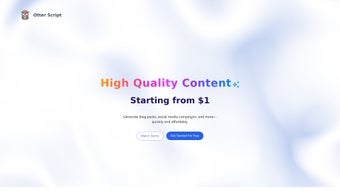

Download Otter Script – AI‑Powered Content Creation Tool for Writers, Managers & Teams
Overview
Otter Script is an AI‑driven web application designed to streamline content creation and boost workflow efficiency for a wide range of professionals. Whether you’re a freelance writer crafting blog posts, a risk manager assembling compliance reports, or a hiring manager preparing interview guides, Otter Script lets you build custom workflows that match your exact needs. The platform saves every generated output in a searchable history, allowing you to reuse and refine content without starting from scratch.
Advanced table generation turns raw data into clean, export‑ready tables, while built‑in export options—including DOCX and JSON—make it simple to move finished work into other tools. Because the app runs entirely in the browser, you benefit from secure, cloud‑based processing without the hassle of local installations. In short, Otter Script offers a flexible, reliable, and secure solution for anyone who wants to automate repetitive writing tasks while preserving a high level of quality and consistency.
Key Features and Compatibility
- Custom workflow builder – drag‑and‑drop modules to create step‑by‑step content pipelines.
- AI‑generated text – context‑aware suggestions that adapt to your industry terminology.
- Reusable output library – automatic saving of every generation for future reference.
- Advanced table generation – turn CSV, JSON or plain text into fully formatted tables.
- Multi‑format export – download results as DOCX, JSON, or plain text with one click.
- History & resume – pick up exactly where you left off, even after weeks of inactivity.
- Collaboration mode – share workflows with teammates and synchronize changes in real time.
- Secure cloud processing – all data is encrypted in transit and at rest.
- Cross‑platform accessibility – works on any modern browser, no OS restrictions.
- Regular updates – new AI models and template packs added monthly.
Because Otter Script is a web‑based SaaS solution, it is compatible with all major operating systems that support a recent version of Chrome, Edge, Firefox, or Safari. Whether you run Windows 10/11, macOS Ventura, a Linux distribution, or even mobile browsers on Android 13 or iOS 17, the full feature set remains accessible without the need for separate downloads or installations.
Installation, Usage, and Workflow Tips
Getting started with Otter Script is intentionally straightforward. Begin by visiting the official website and clicking the “Sign Up – Free” button. The registration process only requires an email address and a password, and you can opt for single‑sign‑on via Google or Microsoft if you prefer. After confirming your account, you’ll land on the dashboard where you can either choose a pre‑made template or launch a blank workflow.
Step‑by‑step usage:
- Define your goal: Select the type of document you need—blog post, risk assessment, interview script, etc.
- Add modules: Drag AI‑write, Table Builder, Data Import, or Review blocks onto the canvas. Each block has its own settings panel for fine‑tuning prompts and output formats.
- Configure AI prompts: Use placeholder variables (e.g., {{topic}}, {{date}}) to make the workflow reusable across projects.
- Run the workflow: Hit “Generate” and watch the AI produce text in real time. You can pause, edit, or ask for alternative phrasing on the fly.
- Export or save: Once satisfied, click the export icon to download a DOCX file for editing in Word, or a JSON file for integration with other applications. The result is also saved automatically in your History tab.
For power users, Otter Script offers API access, allowing you to embed the generation engine into internal tools or content management systems. The platform also supports webhook triggers, so you can automatically push newly created documents to cloud storage services like Google Drive or Dropbox.
Pros, Cons, FAQ, and Final Verdict
Pros
- Highly customizable workflows adapt to any content type.
- Cross‑platform, no installation required – works in any modern browser.
- Robust export options (DOCX, JSON) simplify downstream processing.
- Secure cloud architecture protects sensitive data.
- Free tier available with generous usage limits.
Cons
- Internet connection is mandatory; offline mode not yet supported.
- Advanced AI models may require a paid subscription for high‑volume users.
- Learning curve for building complex multi‑step workflows.
Frequently Asked Questions
Is Otter Script free to use?
Yes, Otter Script offers a free tier that includes up to 5,000 words per month and access to core features. Premium plans unlock higher limits and additional AI models.
Can I export my work directly to Microsoft Word?
Absolutely. The platform provides a one‑click DOCX export, preserving headings, tables, and formatting for seamless editing in Word.
How does Otter Script ensure data security?
All data transmitted between your browser and Otter Script’s servers is encrypted via TLS 1.3. Stored content is encrypted at rest, and the platform complies with GDPR and CCPA standards.
Is there an API for developers?
Yes, Otter Script provides a RESTful API with endpoints for prompt submission, document retrieval, and workflow management. API keys are generated in the user dashboard.
Can I collaborate with team members in real time?
Collaboration mode lets you invite teammates to a shared workflow. Changes are synced instantly, and each participant can leave comments or suggest edits.
Review Summary
Otter Script delivers a compelling blend of AI creativity and workflow flexibility. Its browser‑based nature eliminates installation hurdles, and the export options mean you can move from draft to final document without extra conversion steps. While power users may miss an offline mode, the overall value—especially for teams that need consistent, repeatable content—makes it a standout in the crowded AI‑writing market.
- Pros: Customizable, secure, multi‑format export.
- Cons: Requires internet, premium cost for heavy users.
Conclusion & Call to Action
If you’re looking for a secure, flexible, and AI‑enhanced solution to accelerate your content creation, Otter Script is worth a serious look. Its free tier lets you test the core workflow features, while the paid plans scale smoothly as your needs grow. Save time, reduce repetitive writing, and keep your documents consistent across projects—all from a single, browser‑based dashboard.
Ready to streamline your writing process? Download Otter Script now and start building smarter workflows today.



.png)



